 FastTab Command bar for browser tabs
 A keyboard tab switcher for Mac workflows with too many browser windows.
When your hands are already on the keyboard, tab switching should not turn into mouse hunting. FastTab gives macOS a global shortcut for finding the browser tab you need by title or URL.
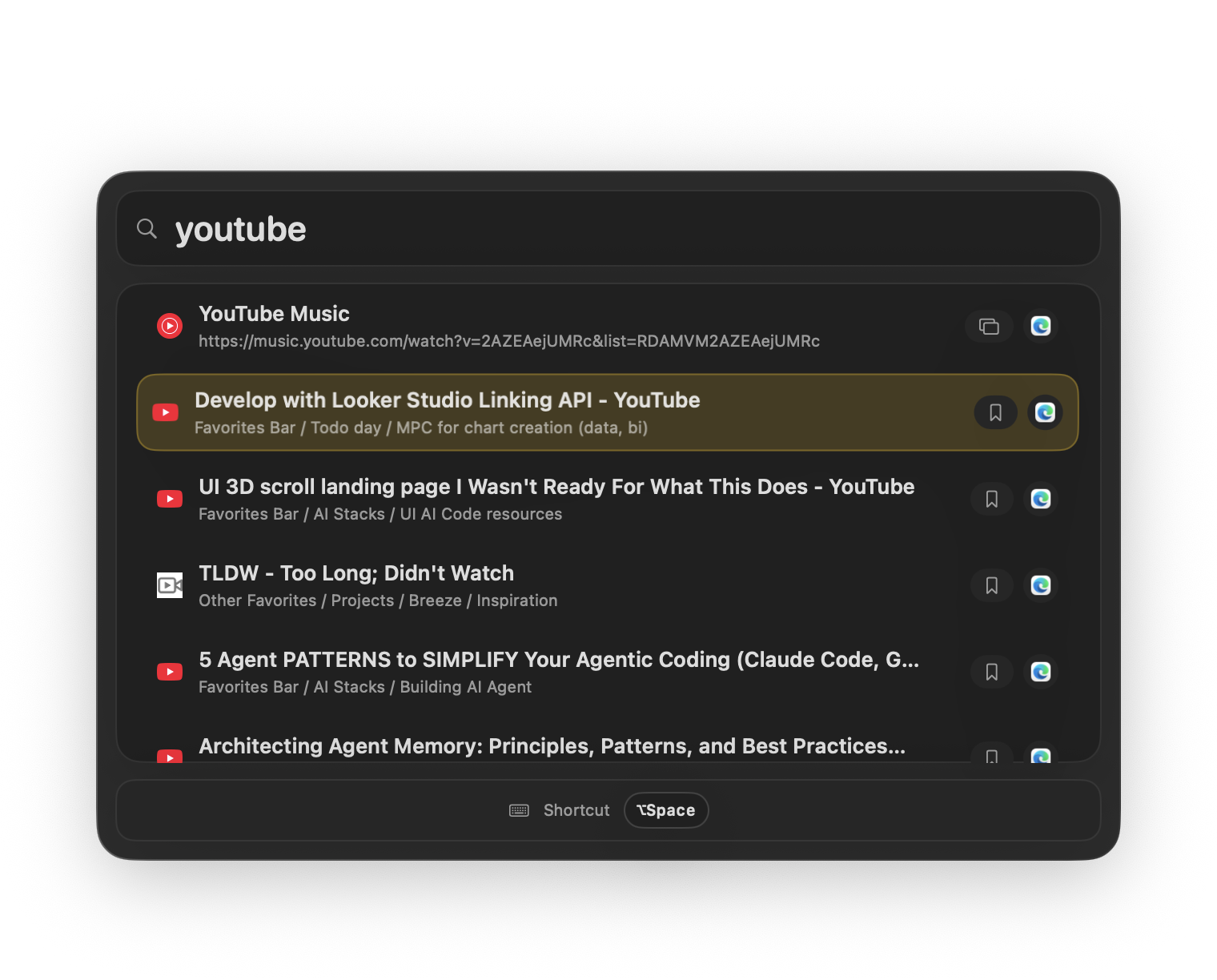
Keyboard flow
Switch tabs by typing what you remember.
FastTab keeps the interaction close to Spotlight: open the command bar, type a few characters, choose the result, and keep working.
Global shortcut
Open FastTab from any Mac app, even when the browser is not focused.
Title and URL search
Find the tab by the page name, domain, or fragment you remember.
Cross-browser results
Search Safari, Chrome, and Edge in one keyboard-first list.
Mac utility
A tab switcher that does not ask you to reorganize your browser.
FastTab works with the windows and profiles you already have. It adds a faster search layer instead of another workspace system.
No new browser
Keep your current extensions, profiles, bookmarks, and habits.
No extension dependency
Use a native macOS app instead of installing another browser add-on.
Bookmarks and history
Recover useful pages even when the tab is no longer open.
Comparison
The fastest path is usually a smaller tool, not a bigger browser setup.
These pages target one search intent, but the product job is the same: get back to the right browser tab with fewer context switches.
App switching
Gets you to the browser, but still leaves you scanning tab strips and windows.
Browser tab search
Useful inside one browser, but limited when tabs live across multiple browsers.
FastTab
A global keyboard tab switcher for Safari, Chrome, Edge, bookmarks, and history.
Related searches
FastTab is built for high-friction tab switching.
keyboard tab switcher Mac
Mac browser tab switcher shortcut
switch browser tabs with keyboard
global tab switcher macOS
Browser tab search
Search every browser tab from one Mac shortcut.
FastTab gives macOS one keyboard-first browser tab search command bar for Safari, Chrome, and Edge. Search open tabs, bookmarks, and history without a browser extension.
Safari tab search
Find Safari tabs without digging through windows.
FastTab adds keyboard-first Safari tab search to macOS, with support for Chrome and Edge when your tabs are split across browsers.
Arc-style tab switching
Get Arc-style tab search without changing browsers.
FastTab brings Arc-style keyboard tab switching to Safari, Chrome, and Edge on macOS without requiring you to change browsers.
Chrome tab switcher
Switch Chrome tabs on Mac without hunting through windows.
FastTab is a keyboard-first Chrome tab switcher for macOS that also searches Safari and Edge tabs, bookmarks, and history from one global shortcut.
Too many tabs
A quieter tab manager for people with too many tabs.
FastTab helps people with too many browser tabs search, switch, and recover pages quickly across Safari, Chrome, and Edge on macOS.
Browser command bar
A browser command bar for the tabs already open on your Mac.
FastTab adds a browser command bar to macOS for searching open tabs, bookmarks, and history across Safari, Chrome, and Edge.
No browser extension
Tab search without installing another browser extension.
FastTab gives Mac users tab search without a browser extension, searching Safari, Chrome, Edge, bookmarks, and history from one native shortcut.
Lost browser tabs
Find lost browser tabs without checking every window.
FastTab helps you find lost browser tabs on Mac by searching open tabs, bookmarks, and history across Safari, Chrome, and Edge.
Ready
Stop hunting for tabs.
Download FastTab, start the 7-day trial, grant Accessibility access, and hit your shortcut.