 FastTab Command bar for browser tabs
 Get Arc-style tab search without changing browsers.
Arc made command-style navigation feel natural, but not everyone wants to move their browsing life into a new browser. FastTab brings that quick-search habit to the browsers already on your Mac.
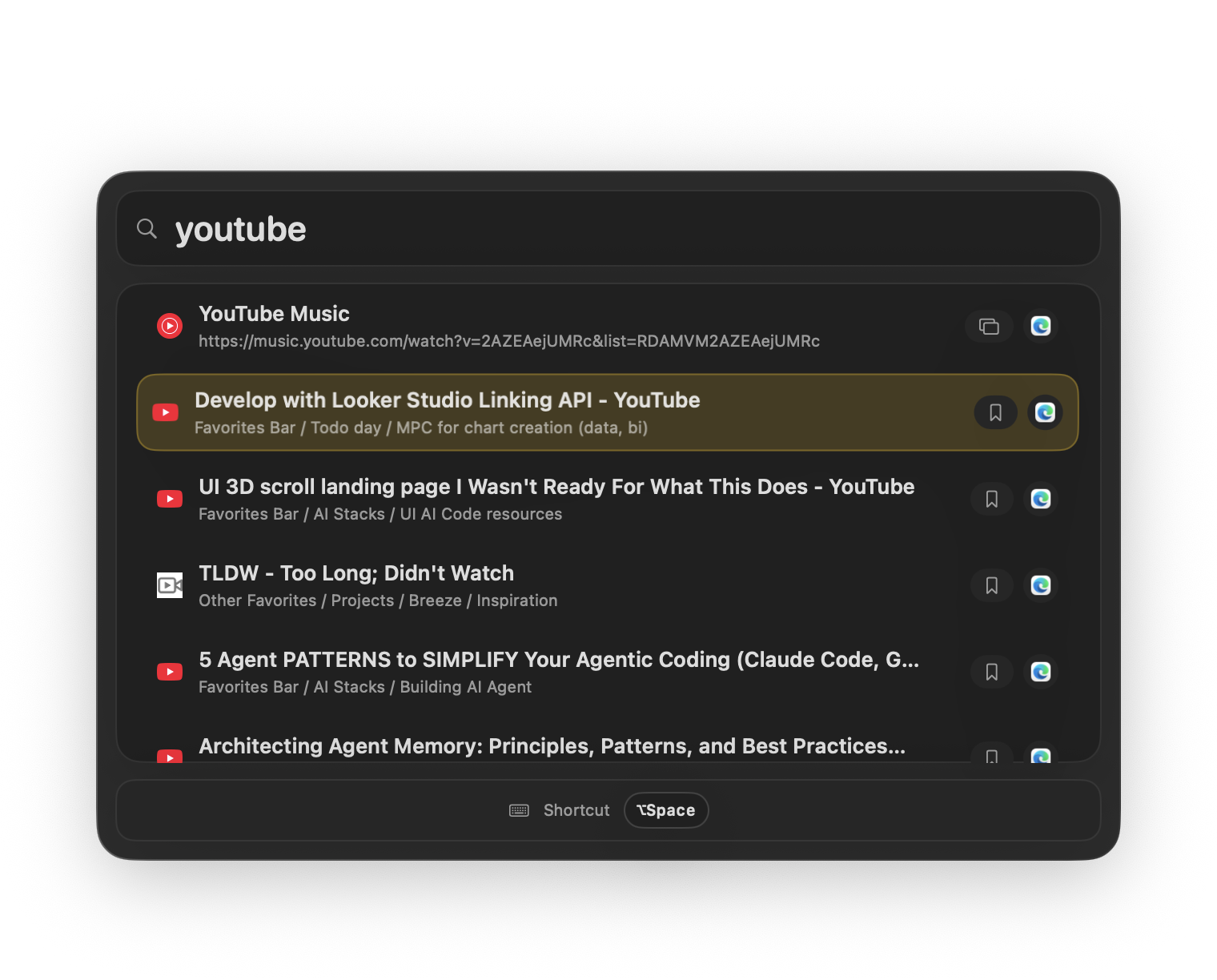
Alternative
Keep Safari, Chrome, and Edge. Add the fast command bar.
FastTab is not a browser replacement. It is a native switching layer for people who like command bars but need to keep their existing browser setup.
No migration
Keep profiles, extensions, bookmarks, and history where they already live.
Cross-browser search
Find tabs across Safari, Chrome, and Edge instead of only one browser workspace.
Keyboard-first
Use a global shortcut, type a few characters, and jump directly to the tab.
Best fit
For people who want speed, not a new browsing system.
FastTab focuses on the narrow job of tab search and switching. It is intentionally small, local, and fast.
Command bar muscle memory
Search tabs the same way you search commands in modern productivity apps.
Works across browser boundaries
Use one shortcut even when research, work, and client tabs live in different apps.
Simple download
FastTab starts with a 7-day trial and does not require an account.
Comparison
The fastest path is usually a smaller tool, not a bigger browser setup.
These pages target one search intent, but the product job is the same: get back to the right browser tab with fewer context switches.
Arc
A full browser with its own workspace model and navigation patterns.
Traditional browsers
Stable and familiar, but tab search is usually trapped inside each browser.
FastTab
A small Mac utility that adds command-bar tab search across the browsers you keep using.
Related searches
FastTab is built for high-friction tab switching.
Arc alternative for Mac
Arc-style tab switcher
command bar for browser tabs
browser tab switcher without changing browser
Browser tab search
Search every browser tab from one Mac shortcut.
FastTab gives macOS one keyboard-first browser tab search command bar for Safari, Chrome, and Edge. Search open tabs, bookmarks, and history without a browser extension.
Safari tab search
Find Safari tabs without digging through windows.
FastTab adds keyboard-first Safari tab search to macOS, with support for Chrome and Edge when your tabs are split across browsers.
Chrome tab switcher
Switch Chrome tabs on Mac without hunting through windows.
FastTab is a keyboard-first Chrome tab switcher for macOS that also searches Safari and Edge tabs, bookmarks, and history from one global shortcut.
Too many tabs
A quieter tab manager for people with too many tabs.
FastTab helps people with too many browser tabs search, switch, and recover pages quickly across Safari, Chrome, and Edge on macOS.
Keyboard tab switcher
A keyboard tab switcher for Mac workflows with too many browser windows.
FastTab is a keyboard tab switcher for Mac that searches Safari, Chrome, and Edge tabs, bookmarks, and history from one global shortcut.
Browser command bar
A browser command bar for the tabs already open on your Mac.
FastTab adds a browser command bar to macOS for searching open tabs, bookmarks, and history across Safari, Chrome, and Edge.
No browser extension
Tab search without installing another browser extension.
FastTab gives Mac users tab search without a browser extension, searching Safari, Chrome, Edge, bookmarks, and history from one native shortcut.
Lost browser tabs
Find lost browser tabs without checking every window.
FastTab helps you find lost browser tabs on Mac by searching open tabs, bookmarks, and history across Safari, Chrome, and Edge.
Ready
Stop hunting for tabs.
Download FastTab, start the 7-day trial, grant Accessibility access, and hit your shortcut.